The problem
If you use more than one AI coding tool, you’ve probably hit this: you’re deep in a task, one tool hits its usage limit, and the next tool has no idea what you were doing. You have to explain the goal again, reconstruct what changed, and hope nothing important gets lost.
I wanted the work to keep moving even when the tool couldn’t.
What I built
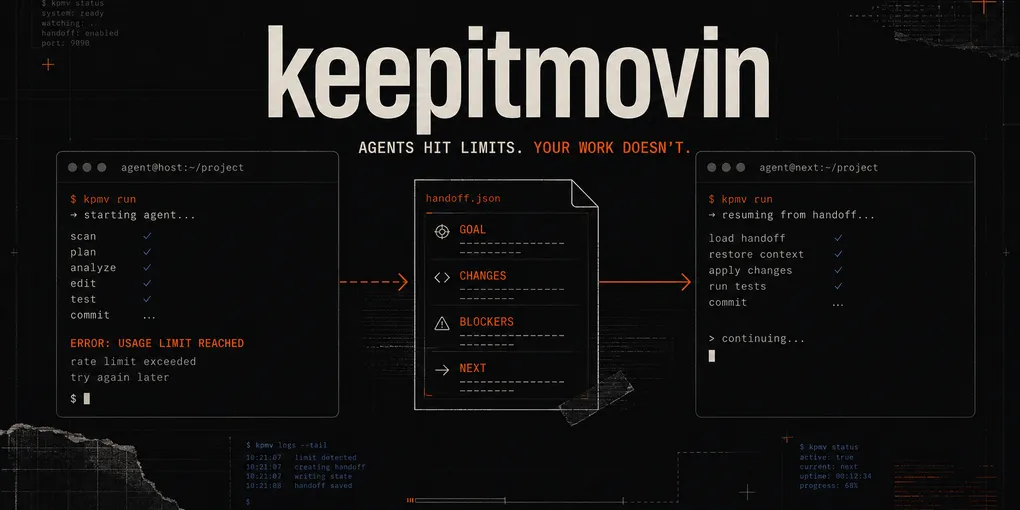
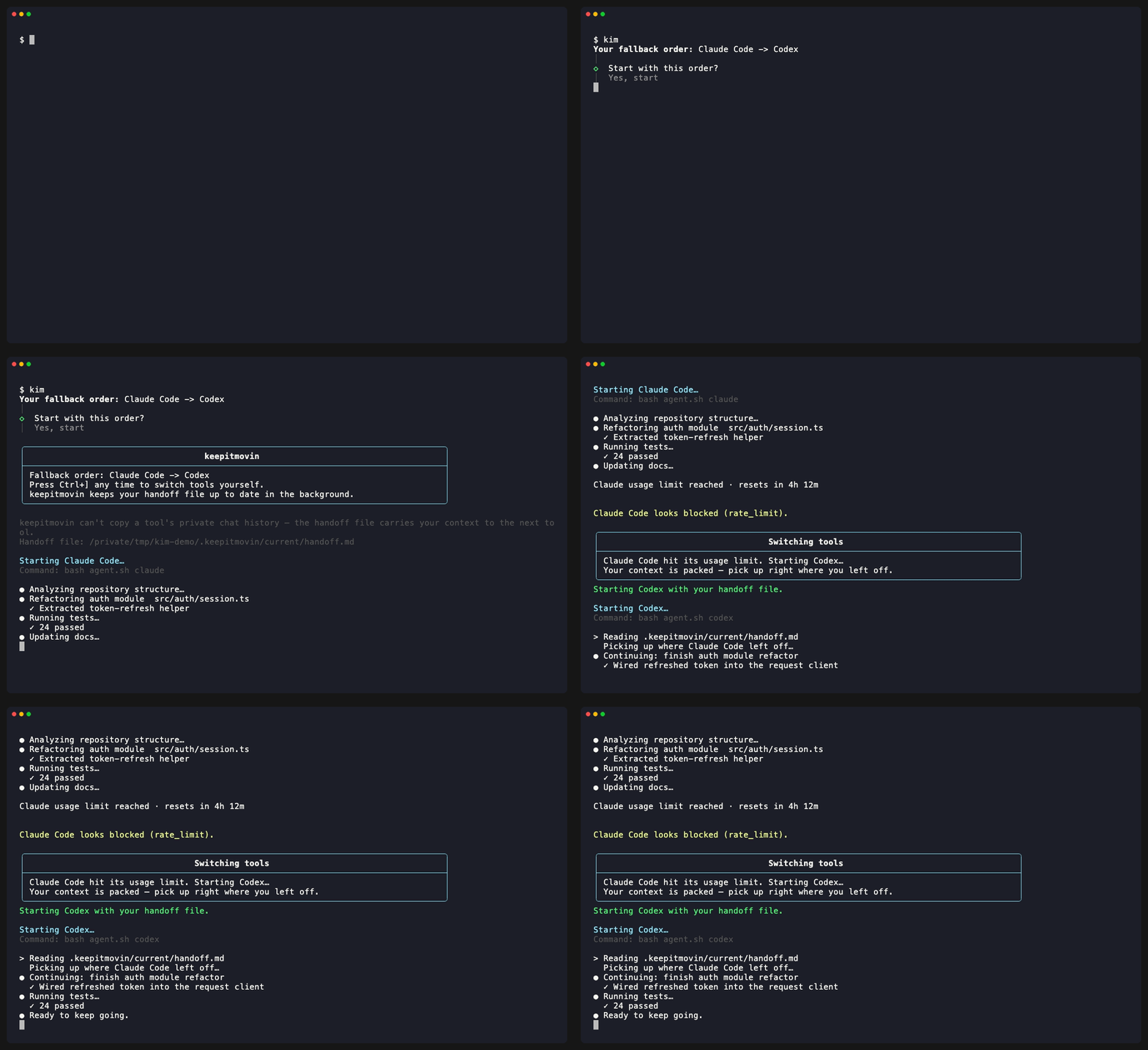
keepitmovin runs AI coding tools in one terminal, in a fallback order you choose. When one hits a limit or fails, keepitmovin hands the next tool a structured record of the goal, changes, checks, blockers, and next step.
kimThat’s the whole interface. It detects the tools you already have, helps you choose their order, and starts the first one. You can also switch manually when another tool makes more sense for the next part of the task.
It currently supports Claude Code, Codex, Kimi CLI, Google Antigravity, opencode, Grok Build, Cursor Agent, GitHub Copilot CLI, and Ollama.
The honest limitation
keepitmovin can’t copy a tool’s private live conversation into another tool. No coding agent exposes that reliably.
Instead, it keeps a shared handoff file at .keepitmovin/current/handoff.md. The file captures the
working state both tools can verify: the goal, changed files, git status, checks, blockers, recent
terminal context, and what should happen next.
It’s less magical than claiming to transfer a conversation, but it actually works.
From CodePass to keepitmovin
This project started as CodePass, a broader harness for routing work between agents and models. It worked, but it was trying to solve too many problems at once. keepitmovin focuses on the part I kept needing: switching tools without starting over.
The handoff now stays current as the agent works, detects context compaction, and gives the next tool a clear receipt to confirm it understands the goal and next action. A warning-only watchdog also calls out suspicious loops or stalled work without taking control away from the user.
Read-only MCP continuity
I also added a read-only Model Context Protocol (MCP) server. Supported tools can pull in the current sanitized handoff and recent session results as context.
It can’t run shell commands, edit files, switch tools, access the network, or expose raw terminal transcripts. I wanted the continuity benefits of MCP without turning it into another control surface with a giant permission footprint.
Outcome
The product is much easier to explain now: agents hit limits; your work doesn’t.
It’s open source, published on npm, and available at keepitmovin.dev.